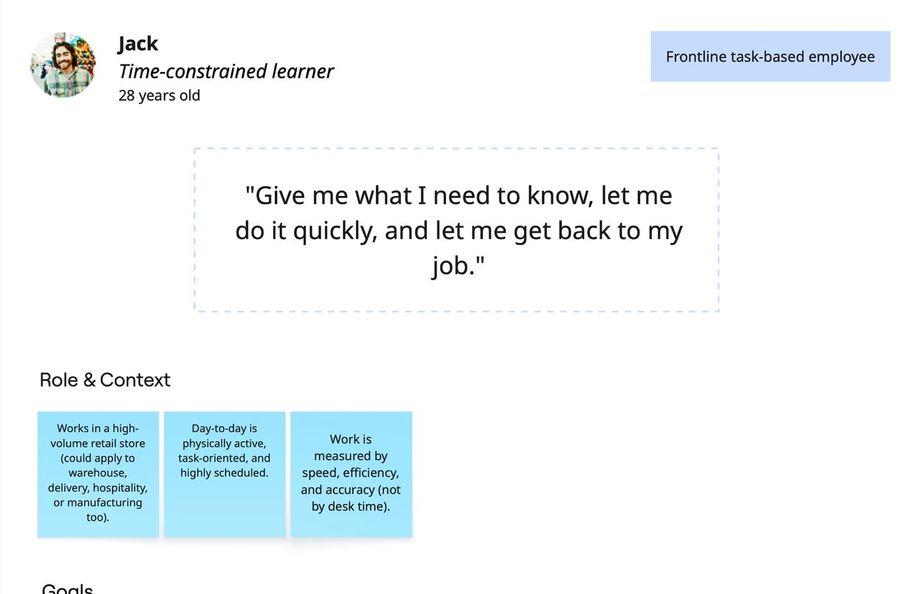
Jack
Frontline · time-constrained
Give me what I need to know, let me do it quickly, and let me get back to my job.
One click to required training, short content, mobile or kiosk.
From checklist to learning home: one trusted place for every learner's training.
Learners couldn't trust their own training page. I unified LMS and LXP learning into one home, and we chose to ship trust before intelligence.
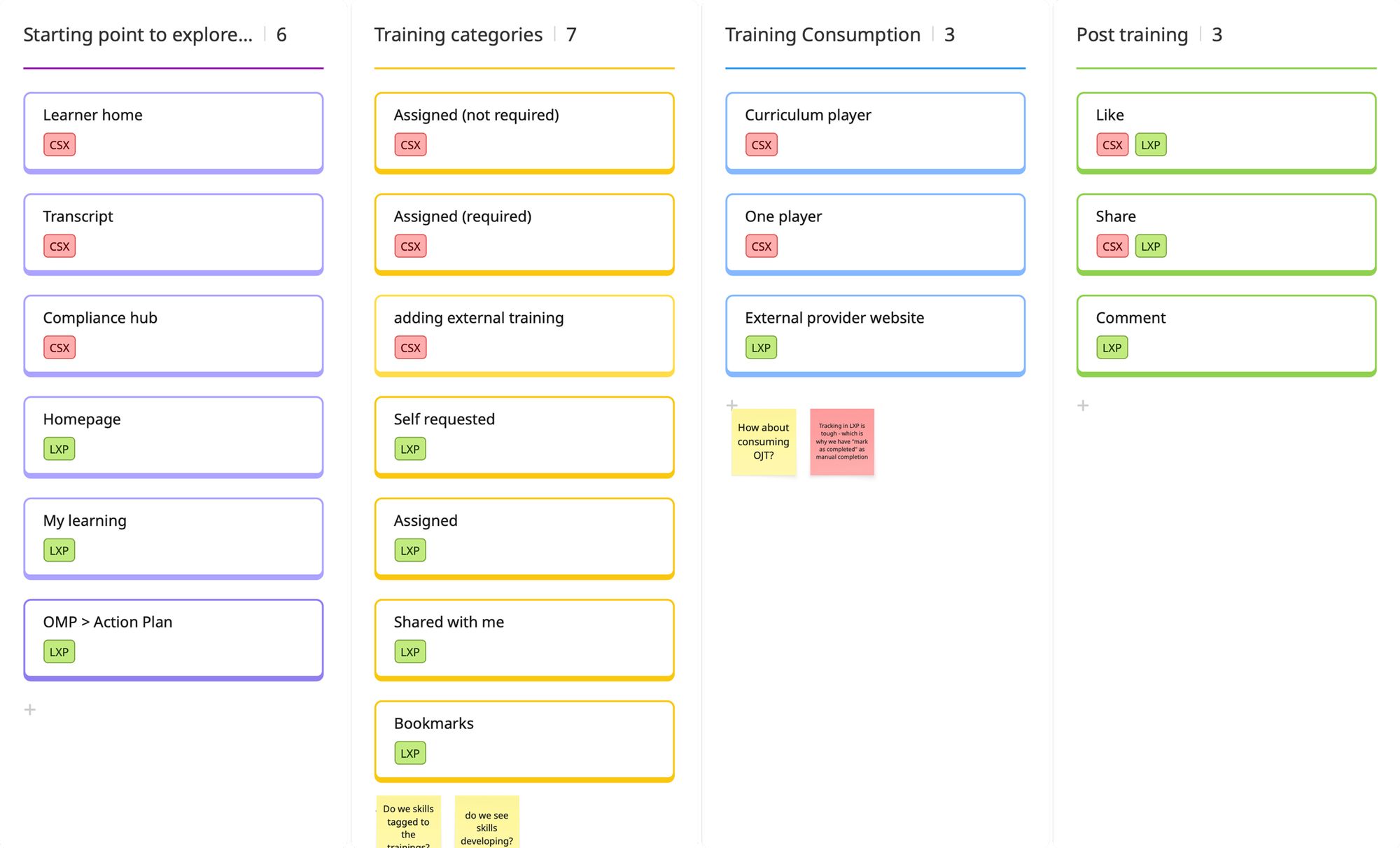
Learning was split across five places: Learner Home, Transcript, Compliance Hub, Homepage and the LXP page. None of them was complete, and each showed content in a different structure.
Underneath was a data problem. LMS and LXP didn't sync in real time. New assignments took hours to appear, versioned courses showed the wrong version, and completions didn't always register. For compliance-driven customers, missed training became a compliance risk, and the platform got the blame.
How might wegive every learning item one structure, so learners always get a consistent hierarchy and clear actions, whatever its source or format?
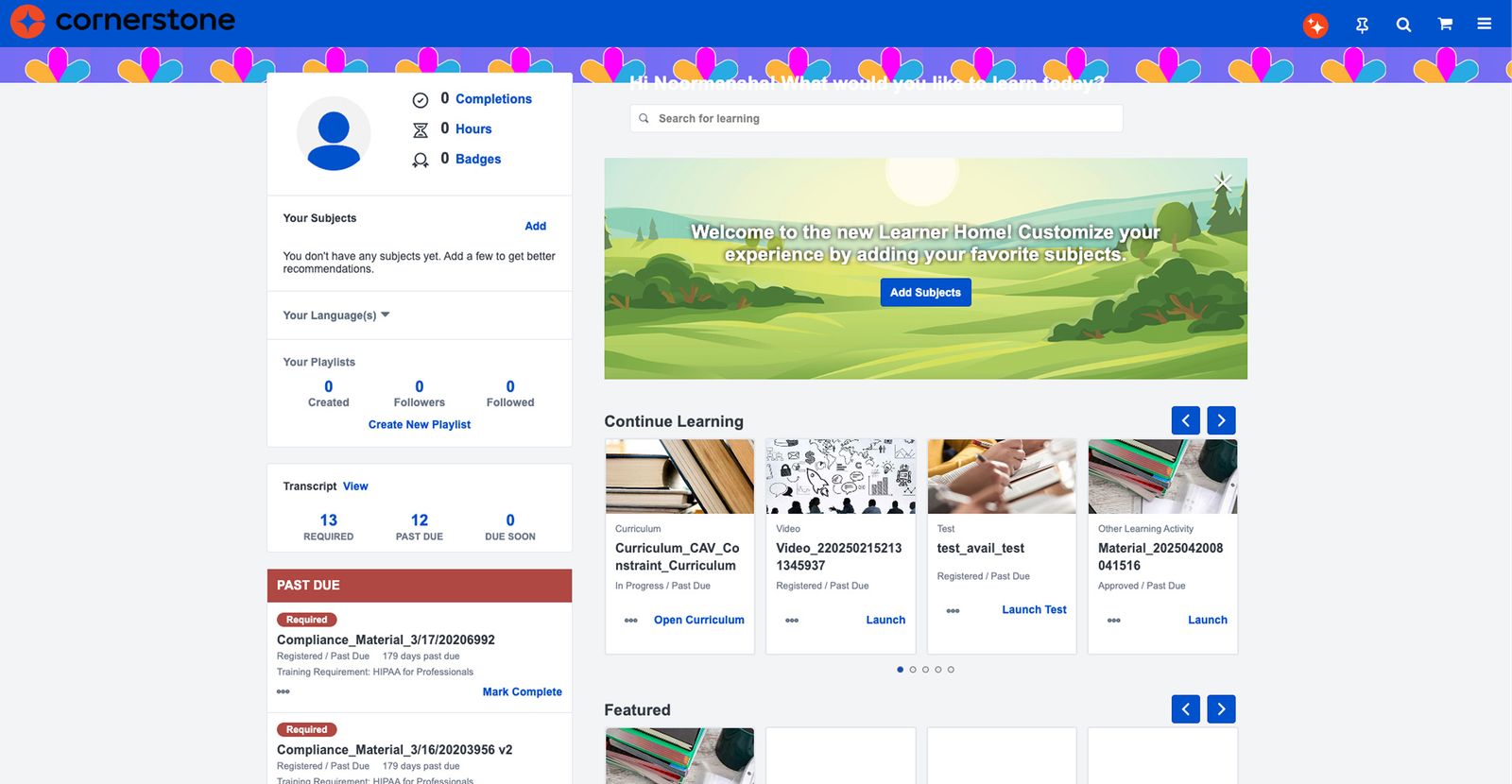
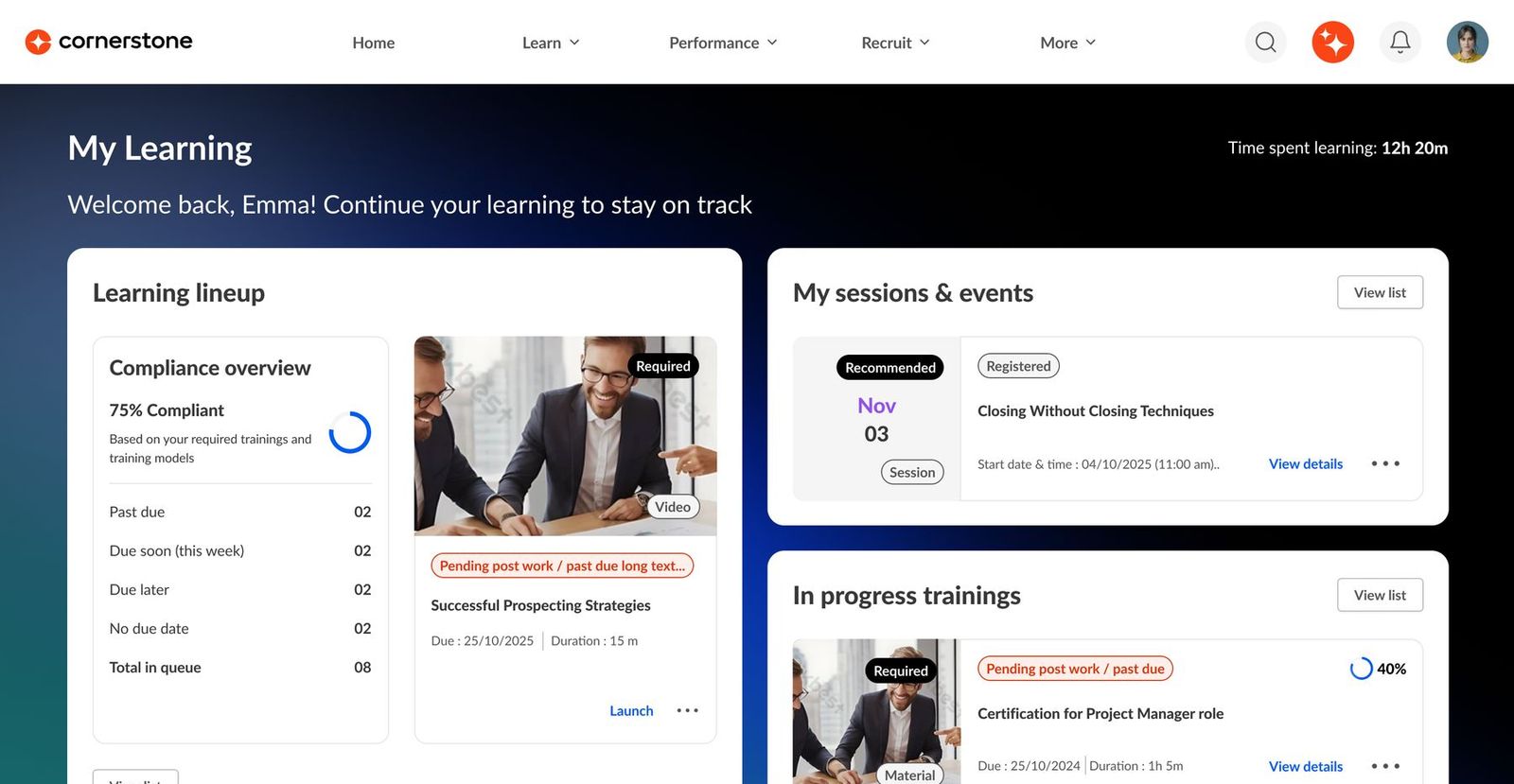 BeforeAfter
Drag to compare the old Learner Home with the shipped My Learning page.
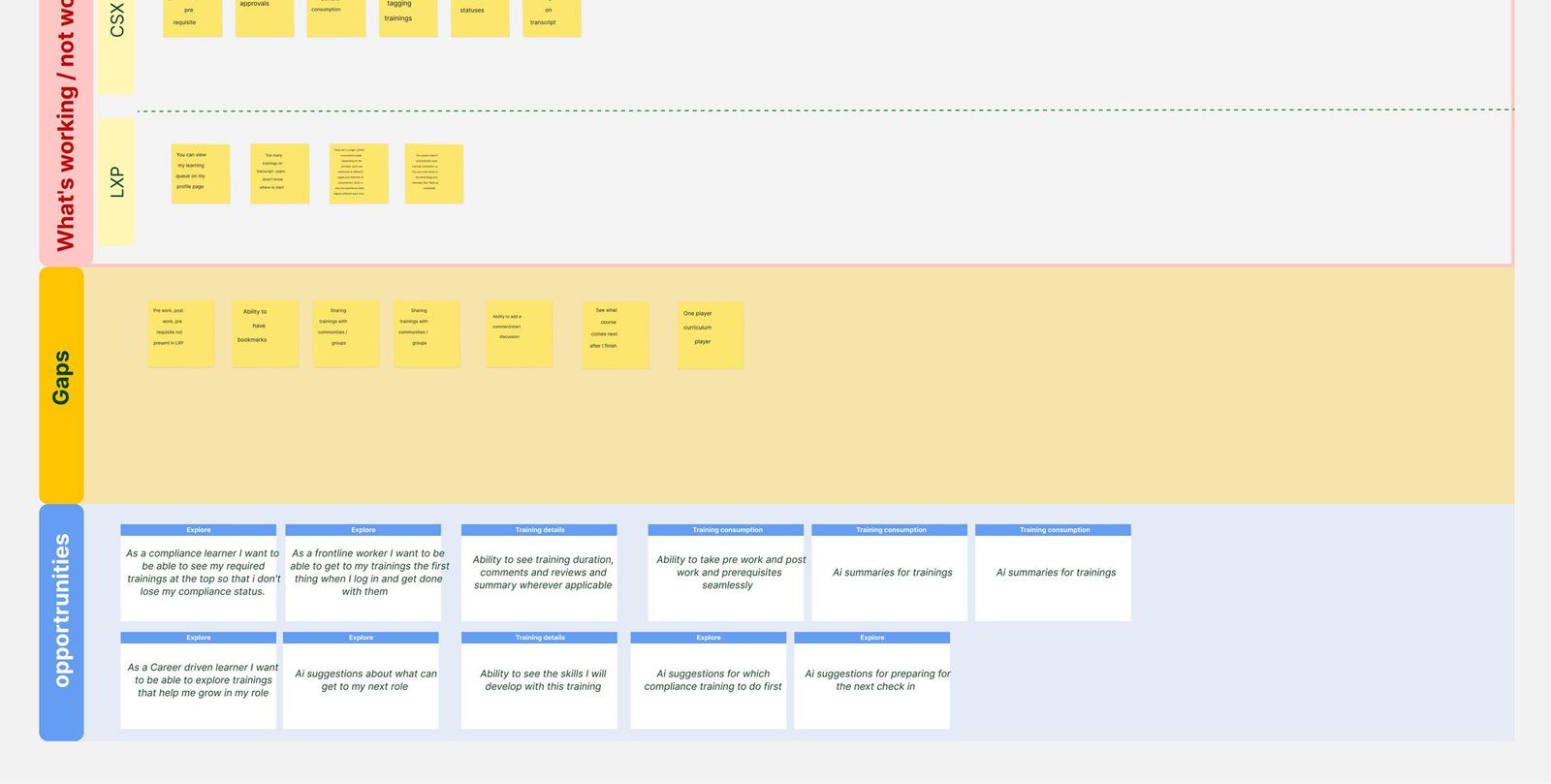
I joined customer calls and ran usability tests on the old workflow. Alongside that, I mapped every entry point, training category, consumption mode and post-training action across CSX (LMS) and LXP. It showed six partial entry points and no single source of truth.
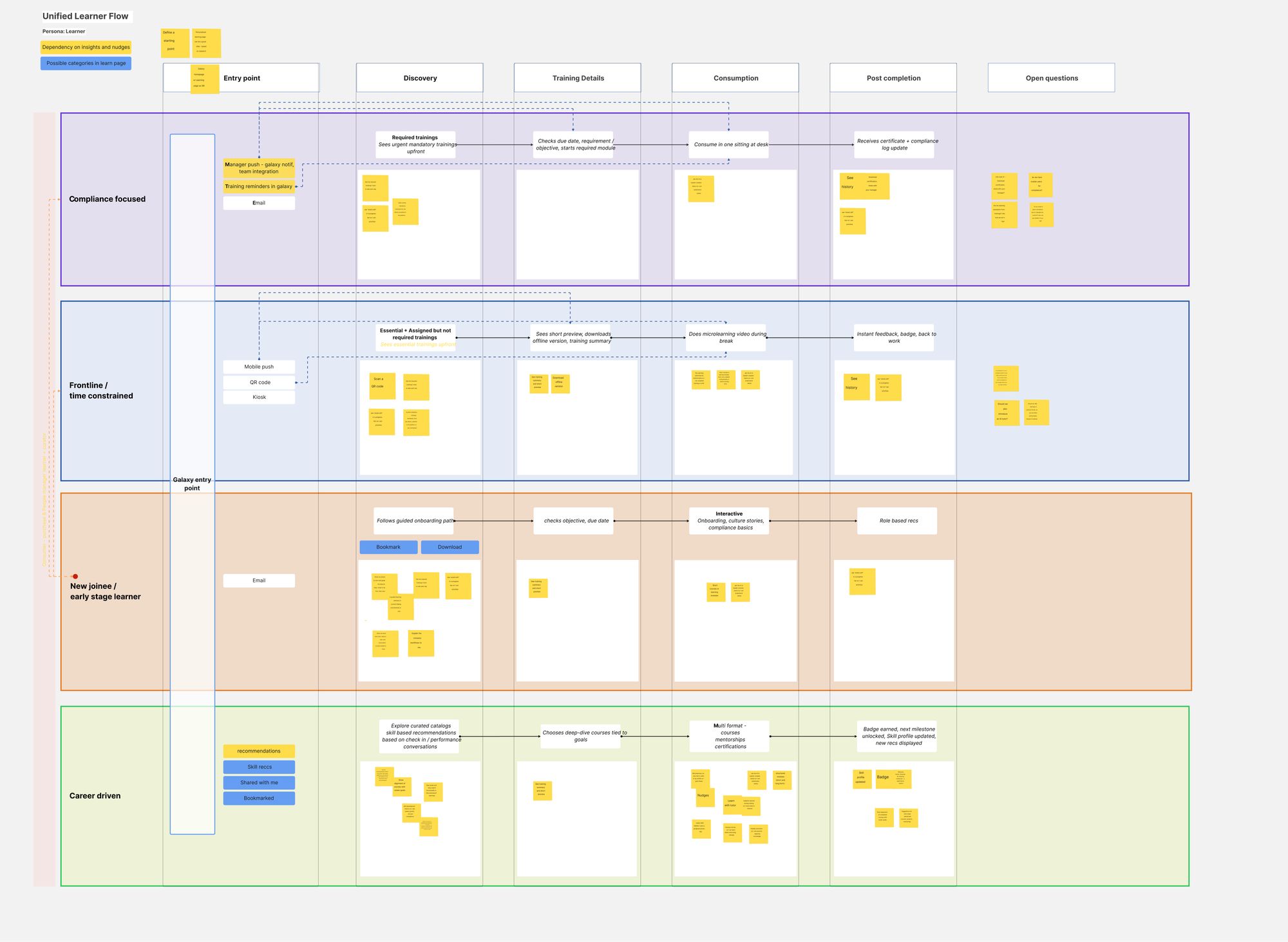
A non-persona journey map then placed every capability across five stages, Entry → Discovery → Training details → Consumption → Post-completion, tagged as Galaxy core, net new, or AI and nudges. A competitor review of Degreed, SuccessFactors, Docebo and Sana showed the market moving from static assignment lists toward guided homes.
Frontline · time-constrained
Give me what I need to know, let me do it quickly, and let me get back to my job.
One click to required training, short content, mobile or kiosk.
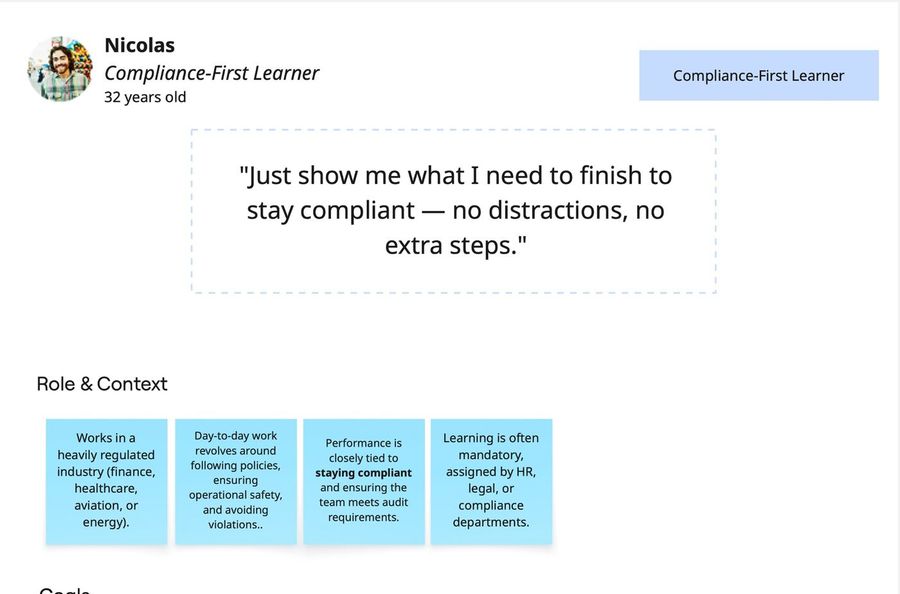
Compliance-first
Just show me what I need to finish to stay compliant.
Clear status, deadlines and proof of completion.
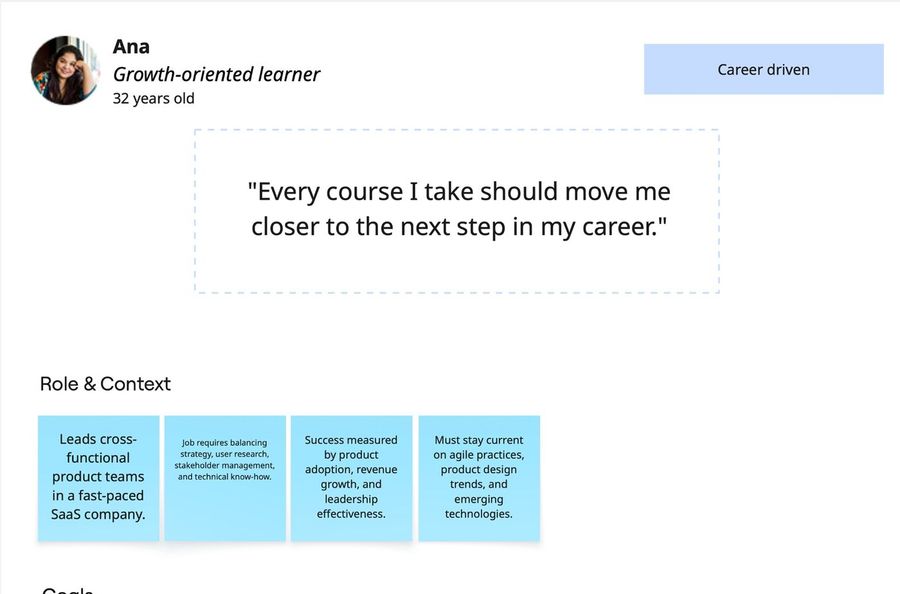
Career-driven
Every course I take should move me closer to the next step in my career.
Skills, goals and recommendations she can trust.
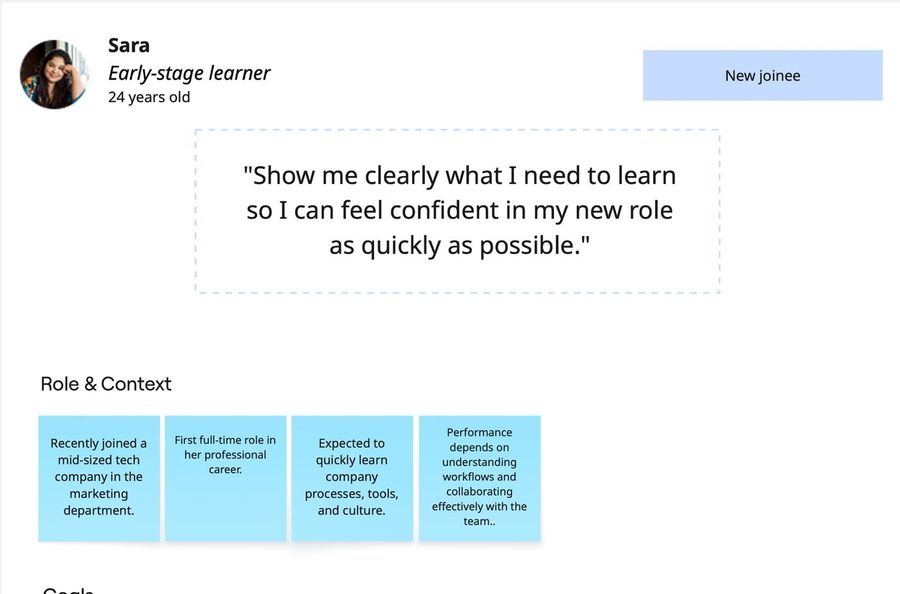
New joiner
Show me clearly what I need to learn so I can feel confident in my new role.
A guided starting point from day one.
A unified learner flow put all four through the same five stages. The stages were the same, but the priorities differed. That became the test for every decision: which learner is this for, and at which stage?
The product vision was ambitious: an AI-infused page with an embedded coach (explain, quiz me, practice), recommendations that explain themselves, streaks, skill boosts and insights. My early rounds explored that vision in full. Drag or scroll the strip to see how it moved.
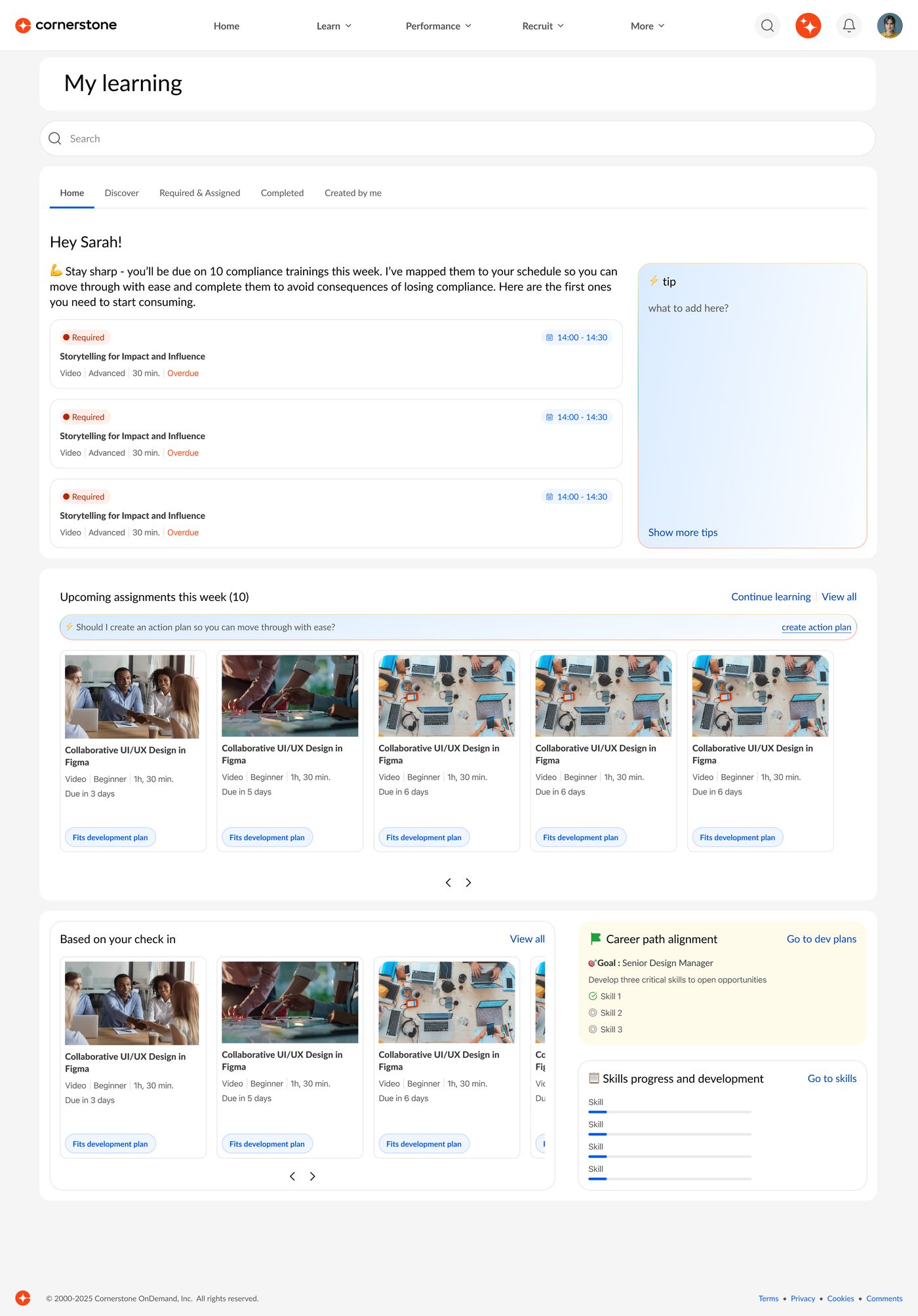
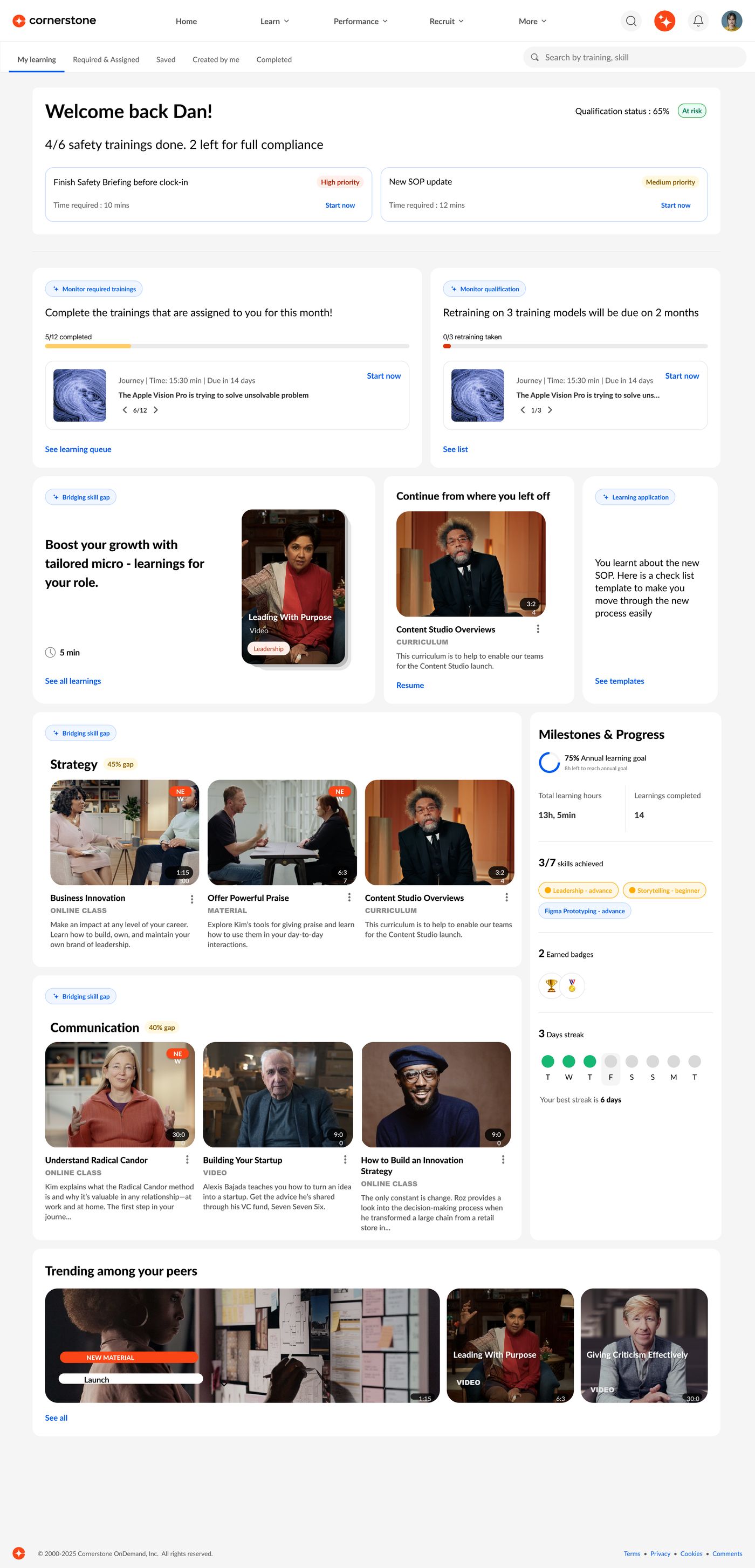
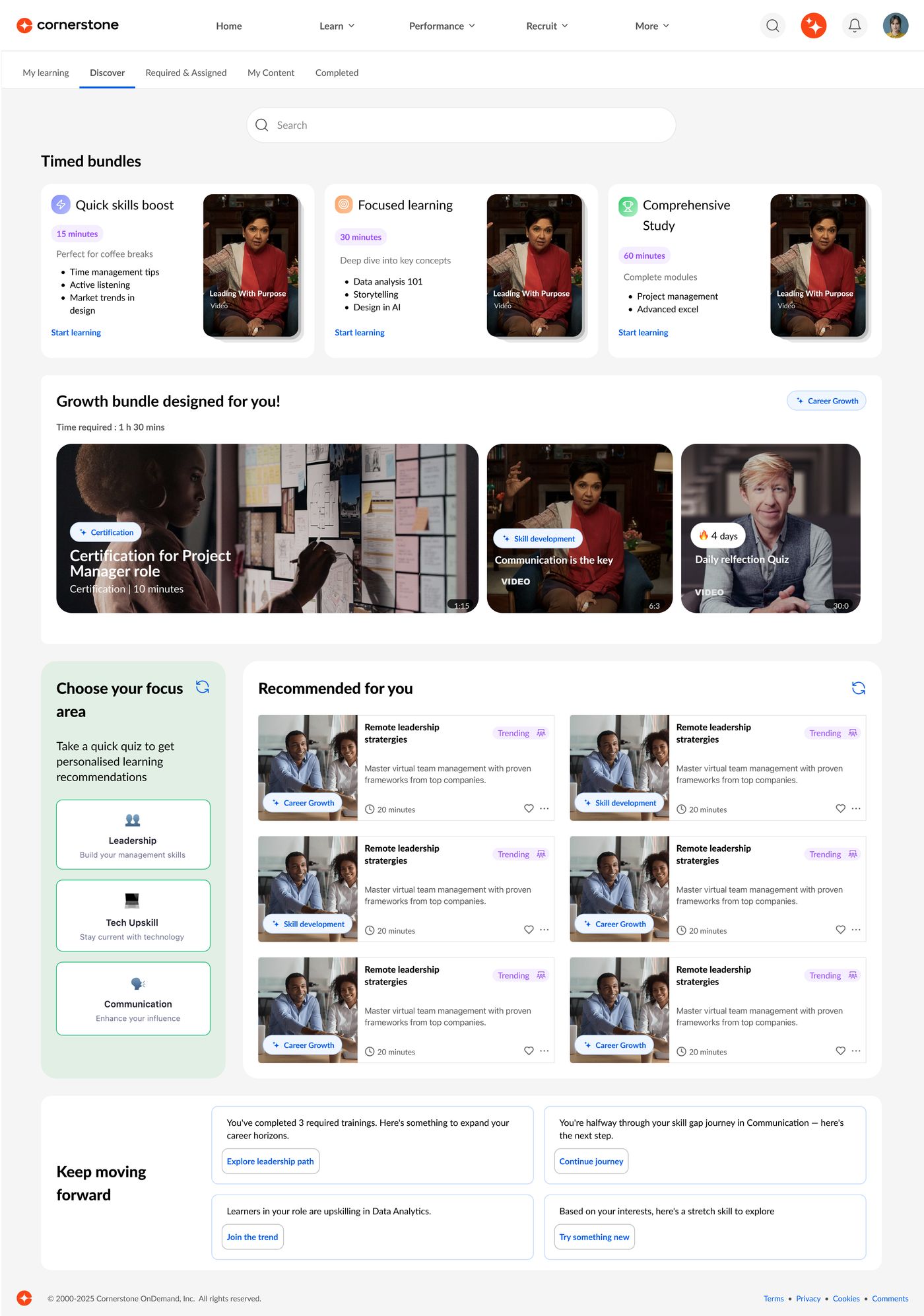
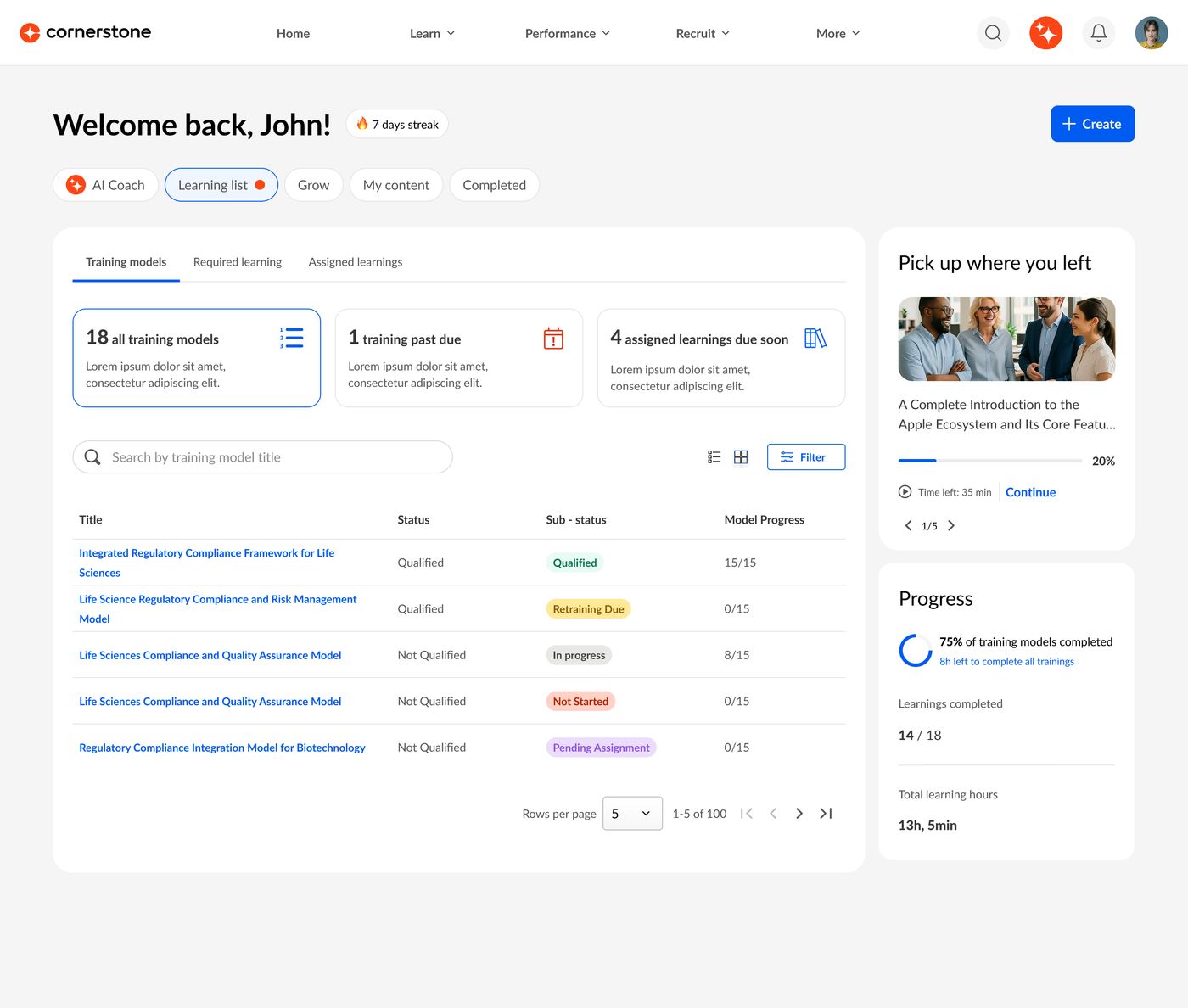
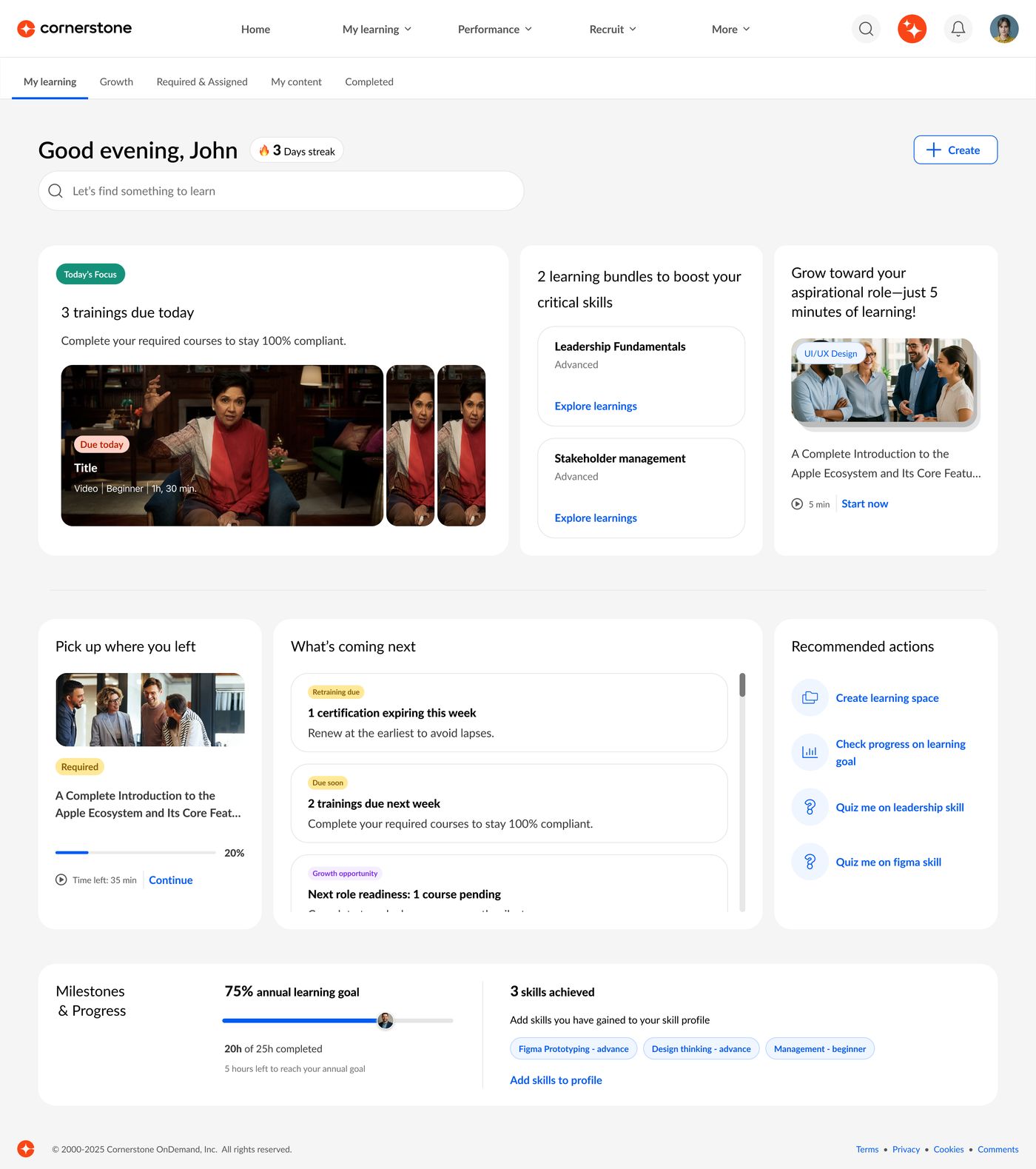
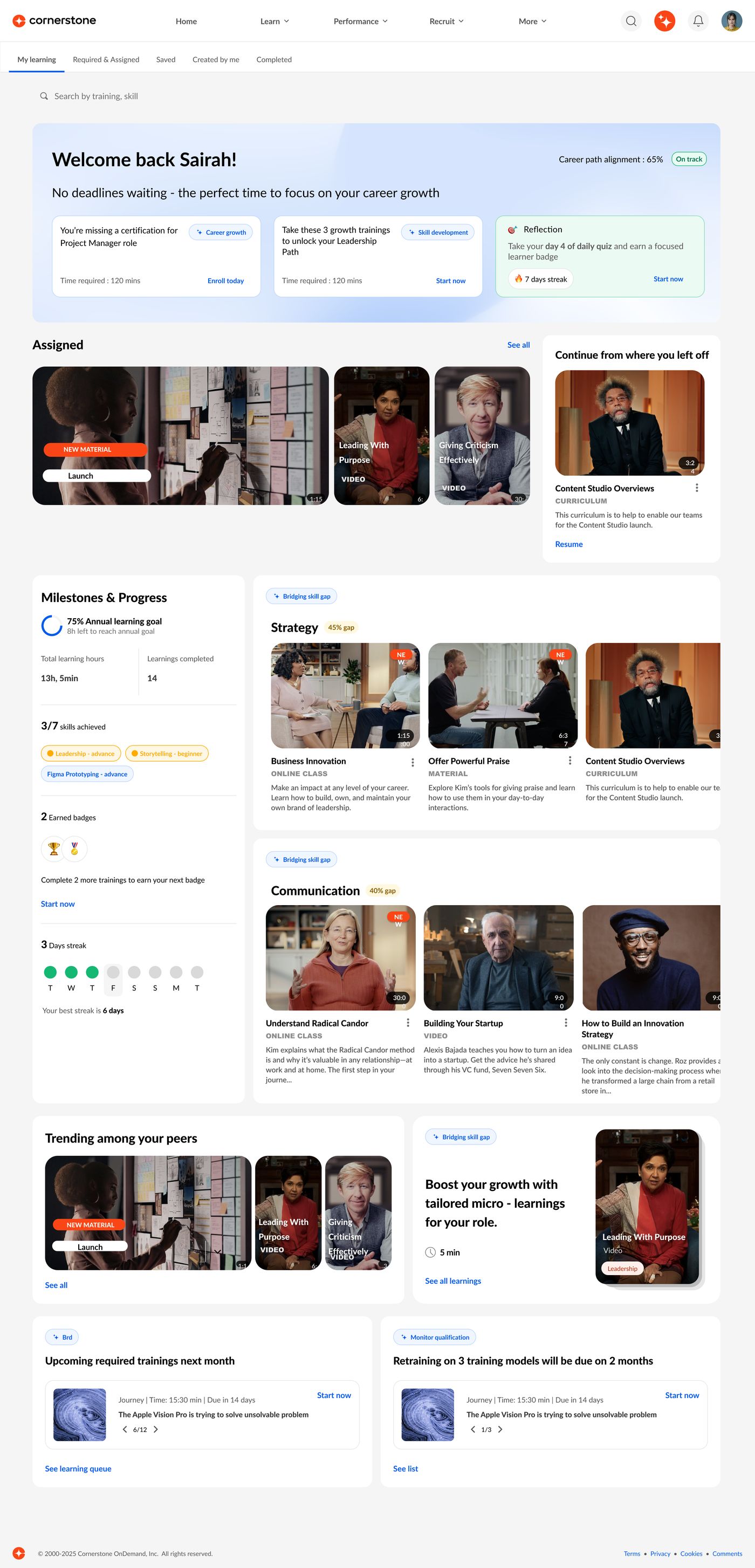
Why: none of the intelligence matters if learners can't trust the basics. Showing nearly 40 LMS statuses without making the page messy was itself the biggest risk, so the March release focused there and the AI features moved to later releases.
Unified page, accurate status, clear actions, compliance priority
Skills-gap recommendations and skill boosts
AI coach, streaks, nudges and insights
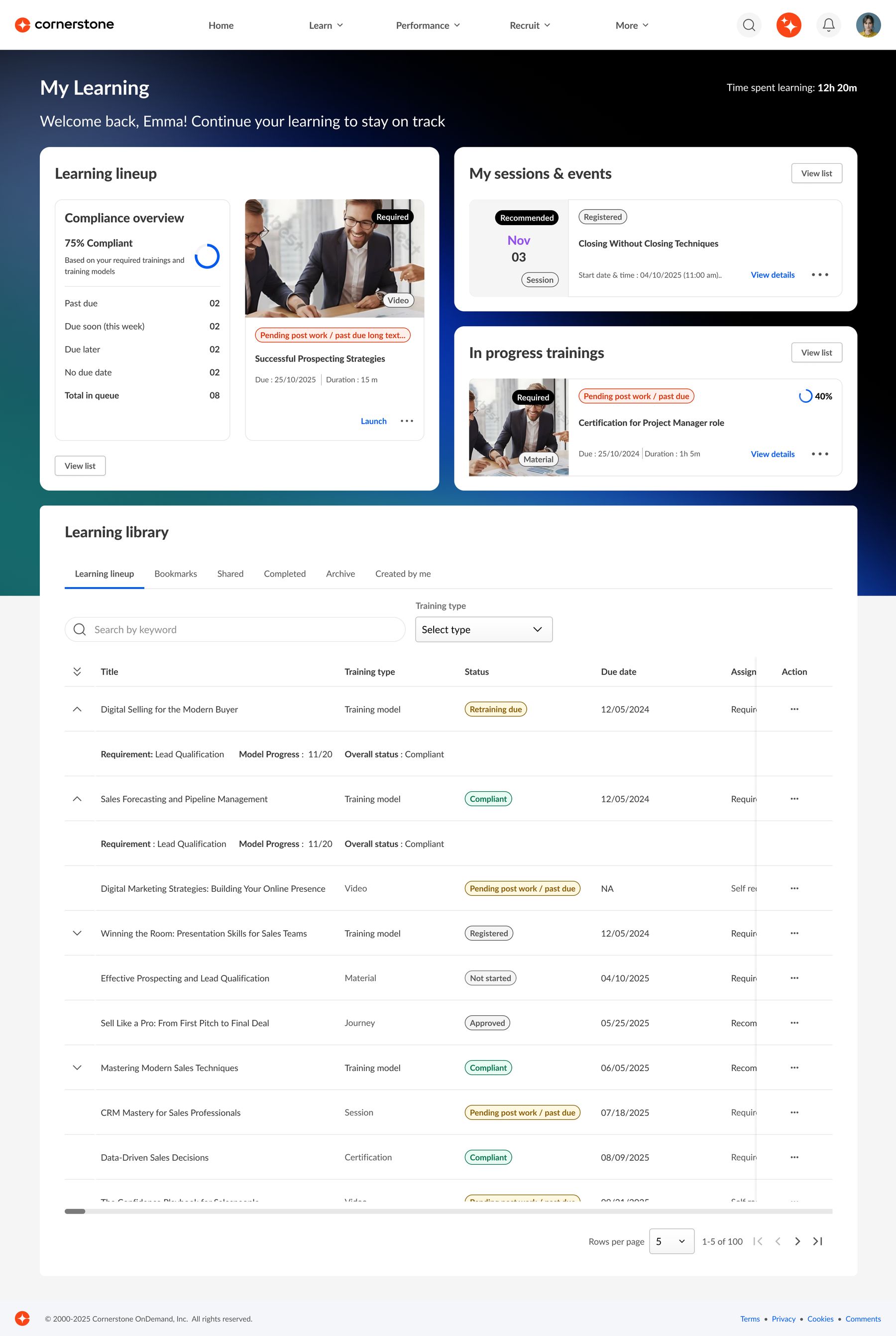
Learning lineup with a compliance overview (% compliant, past due, due soon, total in queue), plus sessions and events, and trainings in progress.
One tabbed, searchable table for everything: lineup, bookmarks, shared, completed and created by me.
Priority re-evaluates at every login, so an ignored item moves up.
I grouped every status into five categories, mapped each to a badge and the right primary action, and wrote the mapping as the contract for engineering.
A percentage plus counts by urgency, always above the fold. At 100% the same space shifts to recommended and self-requested learning.
Expandable training-model rows (model progress with child courses inline) and a comments component built for both LMS and LXP.
I ran moderated sessions with 17 admins and learners from 10 global enterprises across retail, logistics, telecom, manufacturing, hospitality and the public sector (55–85 minutes each, Dec 2025 to Jan 2026). Participants explored a Figma prototype while thinking aloud, then rated it. I wrote the research report.
"This is absolutely the right way to go." Consolidating the fragmented experience landed with every organisation.
Launch was hidden in a three-dot menu. "I see an item, but I don't see an action."
"Must do" and "could do" weren't separated clearly enough.
"Compliance" read as business compliance, "Transcript" is unfamiliar outside the US, and "Learning lineup" was hard to translate.
The finding led to a card enhancement: the primary action (Launch, Resume, Register) now sits on the card instead of in the menu. We then tested three interaction models with 15 participants in August 2026, with researcher Bhavya Srivastava and co-designer Noormansha Narula.
| Option | Behaviour | Result |
|---|---|---|
| A · Direct launch | Clicking the card starts the content | Weakest. 87% expected details first. |
| B · Details first | Card opens details, a button launches | Most natural for 60% |
| C · Preview | Quick view before committing | Highest satisfaction, 73% |
The more visible primary action is built. The next card blends B and C: details first, with a quick preview for comparing courses.
of learners who opened the page took an action the same day, first 90 days after launch
look and feel in the customer benchmark (ease of use and usefulness 3.7)
patterns adopted into the Galaxy design system
Launched in March 2026 for new Galaxy customers, replacing the LMS Transcript and Learner Home with one destination. 38.9k page views and 17.4k learner actions in the first 90 days. The persona framework and journey map were reused for Training and Transcript Details and for the AI phase of My Learning.
"My Learning is no longer just a page. It's a personal assistant, a mentor, and a coach, built into the learning experience itself."Leadership, Cornerstone
The March research confirmed the direction and rated the visual design highly. It also pointed clearly at what Phase 2 has to solve.
Customization was the most requested need, and every priority organization asked for it. Admins want to configure which widgets appear. Learners want to reorder, show or hide sections to fit how they work.
Phase 2Learners struggled to find their next step when key buttons were hidden or quiet. The primary action now sits on the card. Next comes a stronger split between must-do and could-do learning.
In progressSearch only covered the learner's own transcript, and discovery stopped at assigned or bookmarked items. Learners asked for catalog-wide search, filters, topic carousels and recommendations they can trust.
Jul '26"Compliance", "Transcript" and "Learning lineup" didn't travel well across regions and languages. Terminology gets its own round of testing before the next release.
Next studyTrust is a feature. The most ambitious version wasn't the right first release. Sequencing the roadmap was the design decision that mattered most.
Test words, not just layouts. Terminology problems only appeared with international customers. I'd test labels with a global audience earlier.
Explore mobile earlier. The frontline persona's kiosk and mobile needs came up late.